How to Analyze a Website for SEO: Complete Guide
 Paul VengeonsCo-Founder & SEO Consultant
In short
Analyzing a website for SEO means finding what stops it from ranking and in what order to fix it: technical (speed, Core Web Vitals, indexation), on-page, backlinks, competitors. Start with Google Search Console (free, your real data), then crawl with Seobility (free up to 1,000 pages) or SEOptimer.
An audit that flags 200 issues won't say which to fix this week. ChatSEO reads your Search Console and tells you what to fix this week.
Summarize this blog post with:
Which SEO audit tool suits you?
Answer 5 questions to find your ideal tool
🔬 How We Tested This Method
For this guide, I did not list tools at random. I followed the exact sequence I run on client audits, then re-verified every pricing page and free plan in June 2026, straight from each vendor's official site. I dropped any tool whose "free" was really just a time-limited trial, and kept the ones that genuinely deliver.
From experience, the number-one beginner mistake is not a lack of tools, it is a lack of order. People check rankings before fixing indexation, or buy Ahrefs before they have even opened Search Console. The method below fixes that: each step unlocks the next.
My one-line take: 80% of an audit's value comes from your own GSC data and good prioritization, not from how expensive the tool is. A solo or SMB does not need a $449/month suite to get started. Where a paid tool earns its keep is on backlinks and competitors, and I say honestly which one to pick when the moment comes.
📊 Why Analyze Your Website for SEO?
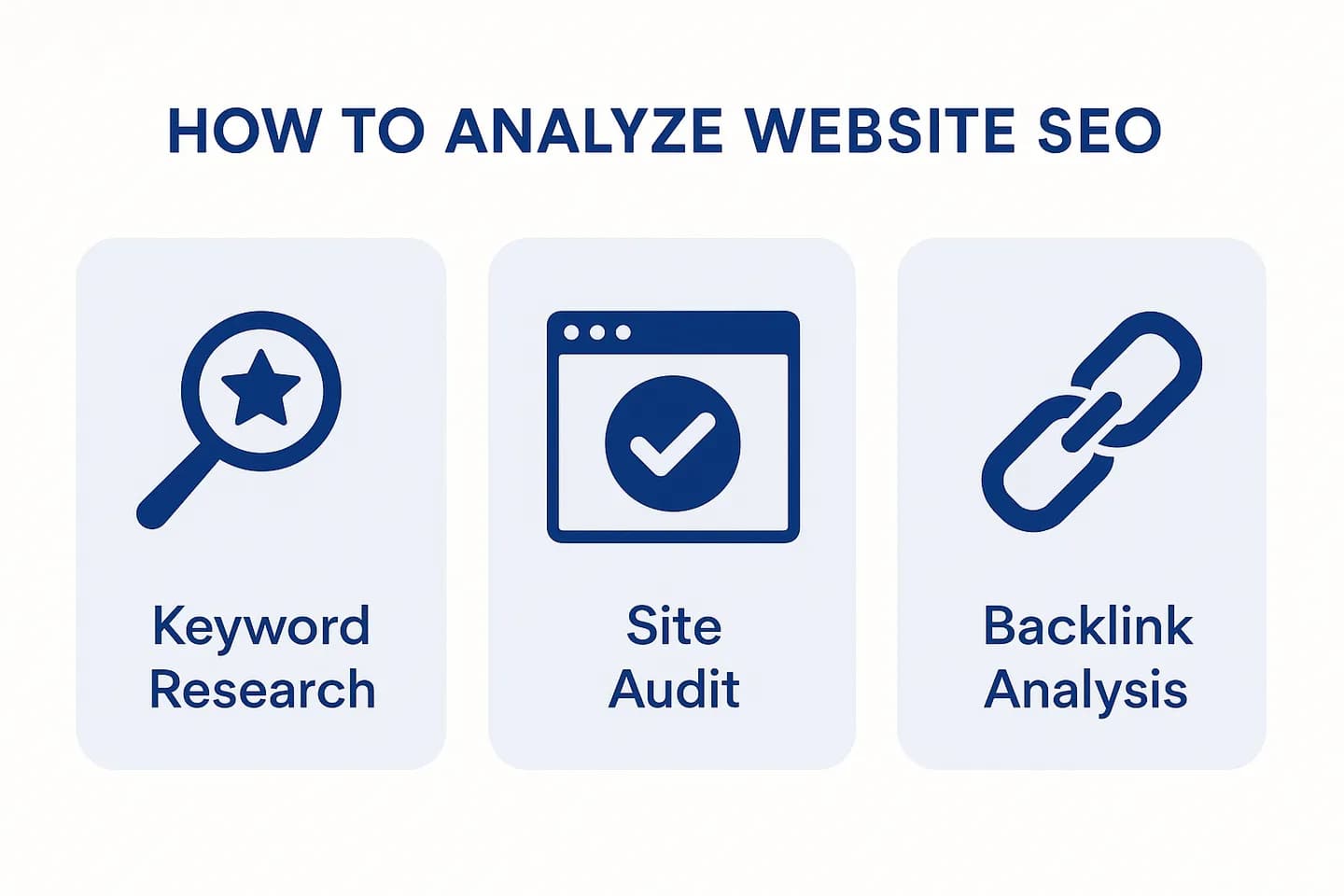
SEO analysis reveals what's preventing your site from ranking: without it, you're optimizing blindly. A structured audit turns a vague hunch into a concrete list of fixes, and that is exactly what separates a site that stalls from one that improves month after month.
A proper audit identifies four families of opportunity:
- Quick wins: easy fixes that boost rankings (meta descriptions, heading structure)
- Technical issues: problems blocking search engines (crawl errors, slow speed, Core Web Vitals)
- Content gaps: topics you're missing compared to competitors
- Backlink opportunities: where competitors get links, and how to replicate them
The concrete result is more organic traffic, a better user experience, and higher conversion rates. It is also the foundation of everything else: you cannot build a solid content strategy without this starting diagnosis.
Analyze your website for free with ChatSEO →
📋 5 Key Metrics to Analyze Your Website
1. On-Page SEO Elements
On-page elements are the first signals Google uses to understand your page topic. Check that every important page has:
- Title tags (50-60 characters, keyword-rich)
- Meta descriptions (150-160 characters, compelling)
- H1 tags (one per page, contains the primary keyword)
- Content quality (full coverage of search intent, natural keyword usage)
- Internal links (3-5 relevant links per page)
If these foundations are shaky, no backlink budget will rescue your rankings.
2. Technical SEO
Technical issues prevent Google from crawling and ranking your site: this is the foundation to fix first. Audit:
- Page speed (aim for < 3 seconds on mobile)
- Core Web Vitals: LCP, CLS, and INP, which officially replaced FID in March 2024 as the responsiveness metric
- Mobile-friendliness (responsive design, readable text without zooming)
- SSL certificate (HTTPS, never HTTP)
- XML sitemap (submitted to Google Search Console)
- Robots.txt (not blocking your important pages)
A fast, well-indexed site starts a step ahead of half its competitors.
3. Backlink Profile
Backlinks remain a major ranking factor, second only to content quality. Analyze:
- Total backlinks (more can mean higher authority)
- Referring domains (quality matters far more than quantity)
- Anchor text (natural, relevant to your keywords)
- Toxic links (spammy sites pointing to you)
A single link from a respected site in your niche outweighs dozens of low-value directory links.
4. Content Performance
Content that doesn't convert wastes all your SEO effort. Review:
- Keyword rankings (which keywords rank, at what position)
- Click-through rate (CTR) (do your title and description earn the click?)
- Bounce rate (does your content truly match the search intent?)
- Time on page (is the content engaging all the way through?)
A page sitting at position 8 with a weak CTR is often a quick win: rewrite the title before touching anything else.
5. Competitor Analysis
You can't outrank a competitor without understanding why they're ahead. Compare your site to the top 3 results for your target keyword:
- Keywords they rank for (that you don't)
- Backlinks they have (that you don't)
- Content length & structure (more thorough? better organized?)
- Page speed & UX (faster? more mobile-friendly?)
Content gap analysis is often the highest-ROI lever in an audit: it tells you exactly what to write next.
🛠️ Step-by-Step: How to Analyze Your Website for SEO
Step 1: Analyze On-Page SEO
Start with the one page you actually want to rank, not your whole site.
- Pick your target keyword (e.g., "analyze website for seo")
- Open your page in a browser
- Check:
- Does the title contain the keyword? Is it < 60 characters?
- Does the meta description contain the keyword? Is it compelling?
- Is there one H1 tag? Does it contain the keyword?
- Does the content cover search intent as well as the pages ranking on top?
- Are there 3-5 internal links to relevant pages?
Tool: ChatSEO's free audit auto-checks these elements and tells you which to fix first.
Run your free on-page SEO audit with ChatSEO →
Step 2: Audit Technical SEO
This is the foundation: a block here cancels out all your other work.
- Go to Google Search Console > Page indexing: are all your pages indexed? Any errors?
- Check speed and Core Web Vitals with Google PageSpeed Insights: mobile score > 90? LCP, CLS, and INP in the green?
- Test mobile-friendliness in Search Console's mobile usability report
- Verify SSL: your URL bar should show a padlock (HTTPS)
- Submit your XML sitemap: Google Search Console > Sitemaps
Tool: for a complete, free technical crawl, Seobility covers up to 1,000 pages on its forever-free plan. ChatSEO then prioritizes the fixes for you.
Get your free technical SEO audit →
Results from a  ChatSEO customer
From 10 to 100 Google clicks a day
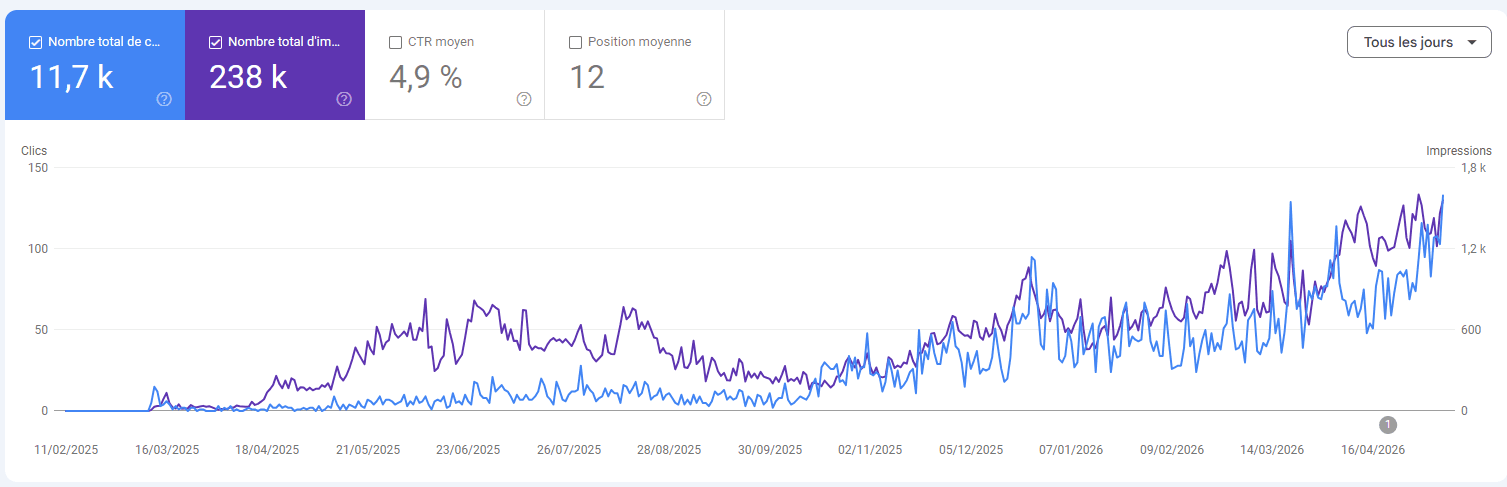
“From a few clicks a day to more than 3,000 clicks a month.”
A client site of an SEO consultant
Step 3: Analyze Your Backlink Profile
The goal isn't the most links, but understanding where you fall short versus competitors.
- Go to Google Search Console > Links: how many referring domains? Any suspicious anchors?
- To go further, a dedicated backlink tool is unmatched. Ahrefs' index exceeds 35 trillion links, making it the reference for finding your competitors' links (budget the Lite plan at $129/month for serious use; the $29 Starter is credit-limited).
- List the sites linking to your competitors but not to you.
Action: prioritize domains that already link to several competitors: they're your most reachable targets.
Step 4: Review Keyword Rankings
This is where the highest-ROI quick wins of an audit hide.
- Go to Google Search Console > Performance:
- Which keywords drive clicks?
- What's your average position? (aim for top 10)
- What's your CTR? (if it's low, rework title and description)
- Identify ranking opportunities:
- Keywords where you rank #11-20: easy to push into the top 10
- Keywords with high impressions but low CTR: improve title and meta description
Action: prioritize pages ranking #11-20, your fastest gains.
Step 5: Analyze Competitors
Your competitors at the top of the SERP show you, for free, exactly what Google rewards for that query.
- Identify the top 3 competitors (sites ranking #1-3 for your target keyword)
- Compare with a tool (ChatSEO, Semrush, or Ahrefs):
- Keywords they rank for that you don't
- Backlinks they have that you don't
- Content length and depth
- Page speed and mobile experience
- Create a content gap analysis:
- List 10 keywords competitors rank for that you don't
- Prioritize by search volume and difficulty
Action: create or expand content for the top 5 missing keywords with the most potential.
Start your free competitor analysis with ChatSEO →
💶 Free Tools to Analyze Your Website for SEO
Every number below was verified in June 2026 on the vendors' official pages. "Free" means a genuinely usable free plan, not just a time-limited trial.
| Tool | Best for | Free plan | Paid from |
|---|---|---|---|
| Google Search Console | Your real ranking and indexation data | ✅ 100% free | Free |
| ChatSEO | AI-guided audit + prioritized action plan on your GSC data | Free trial | €29/month (€23 annual) |
| Seobility | Detailed technical crawl (up to 1,000 pages) | ✅ Forever free | €49.90/month |
| SEOptimer | Fast on-page audit + visual report | ✅ 5 audits/month | $29/month |
| PageSpeed Insights | Page speed and Core Web Vitals | ✅ 100% free | Free |
Honest recommendation: no tool replaces Google Search Console for your real data. Start there, add Seobility for the technical crawl, then use ChatSEO to turn those signals into a prioritized action plan. It's the most effective free combo to get going.
🏆 Our Method, Scored: Which Tool for Which Step
No single tool wins on everything: each one excels at one layer of the audit. Here's how I score the main candidates, by use case, based on their current plans (June 2026).
| Tool | Real data | Technical audit | Backlinks | AI action plan | Entry price |
|---|---|---|---|---|---|
| Google Search Console | ★★★★★ | ★★★☆☆ | ★★☆☆☆ | ☆☆☆☆☆ | ★★★★★ |
| Seobility | ★★★☆☆ | ★★★★★ | ★★★☆☆ | ★★☆☆☆ | ★★★★★ |
| Ahrefs | ★★★☆☆ | ★★★★☆ | ★★★★★ | ★★☆☆☆ | ★★☆☆☆ |
| ChatSEO | ★★★★★ | ★★★★☆ | ★★★☆☆ | ★★★★★ | ★★★★★ |
The honest verdict: Google Search Console wins on your real data, Seobility on the free crawl, Ahrefs on backlinks. ChatSEO does not pretend to replace Ahrefs' link index; its strength is connecting your GSC and turning the whole audit into prioritized next actions, with no learning curve. It's the best AI-first pick to move from diagnosis to action.
⚠️ Common Mistakes When Analyzing Your Website
Most failed audits don't lack data: they lack order and prioritization.
Mistake 1: Only checking rankings, ignoring the technical layer
Fix: audit technical SEO first, it's the foundation for everything else.
Mistake 2: Targeting keywords with no search volume
Fix: use Google Search Console to start from keywords people actually search.
Mistake 3: Ignoring competitor backlinks
Fix: analyze where competitors get their links, then replicate the most reachable ones.
Mistake 4: Publishing shallow content on competitive queries
Fix: cover search intent as fully as the top-ranking pages, not just "more words."
Mistake 5: Never refreshing old content
Fix: update your top-performing pages every 6 months to hold their positions.
An audit is only useful if it leads to action. After each analysis, keep only your 5 highest-impact fixes for the week and handle the rest later. Paralysis in front of a list of 200 problems is the number-one enemy of SEO.
❓ FAQ: How to Analyze a Website for SEO
How often should I analyze my website?
Monthly for competitive keywords, quarterly for less competitive ones. Use Google Search Console to track your data continuously instead of auditing everything at once.
What's a good page speed score?
Aim for a mobile and desktop score above 90 on Google PageSpeed Insights; below 50, fixes are urgent. Above all, watch your Core Web Vitals, including INP, which replaced FID as the official responsiveness metric.
How many backlinks do I need to rank?
Quality beats quantity by a wide margin. One backlink from a respected site in your niche is worth far more than dozens of weak directory links. Focus on the relevance of referring domains.
How long does it take to see SEO results?
Expect 3-6 months for new pages and 1-3 months for improving existing pages. It all depends on the competition for your query and your domain authority.
Should I analyze my competitors?
Yes, absolutely: it's often the highest-ROI lever in an audit. Competitor analysis reveals the content gaps and backlink opportunities you're missing.
What's the difference between on-page and technical SEO?
On-page = content, titles, keywords. Technical = speed, mobile, indexation, crawlability. Both are essential, but the technical layer comes first because it gates everything else.
Can I analyze my website for free?
Yes, and it's the recommended way to start. Combine Google Search Console (official data), Seobility (forever-free technical crawl), and ChatSEO (AI-guided audit, free trial then from €29/month).
What should I do after analyzing my website?
Prioritize by impact. Fix technical issues first, then improve content for keywords ranking #11-20, then create content for missing keywords.
🏆 Conclusion: Ready to Analyze Your Website?
A good SEO analysis doesn't depend on how much your tools cost, but on the order you attack the problem: technical, on-page, content, backlinks, competitors. Start with your real Search Console data, add a free technical crawl, and keep only your highest-impact fixes.
The only real obstacle is time: turning a raw audit into a clear action plan takes hours by hand. That's exactly what ChatSEO automates: it connects your Search Console, analyzes your real pages and keywords, and hands you a prioritized list of next steps.
Run your free SEO audit with ChatSEO and get instant recommendations on on-page optimization, technical issues, backlink opportunities, keyword rankings, and competitor gaps. You also save 10 to 15 hours per month by automating the analysis work.
Analyze your website now with ChatSEO, it's free →